Looking for the best form builders for craft markets? You need a tool that collects vendor applications, handles payments, and keeps everything organized. The right form builder saves you hours of back-and-forth emails and spreadsheet chaos.
Whether you run a small local craft fair or a large seasonal market, having a solid application system makes all the difference. Let's explore the top options to help you pick the perfect fit.
Why Craft Markets Need Good Form Builders
Craft market organizers juggle a lot. You need to collect vendor info, review applications, gather booth fees, and communicate with dozens (or hundreds) of makers. Paper applications and basic email just don't cut it anymore.
A good form builder for craft markets should:
- Collect vendor details like business name, products, and photos
- Accept payments for booth fees and deposits
- Let you review and approve applications in one place
- Send automatic confirmation emails
- Work well on mobile devices
When you use the right tools, you spend less time on admin work and more time growing your craft market.
Top Form Builders for Craft Market Applications
Here are the best options for collecting vendor applications at your craft fair or artisan market.
1. Events Near Me
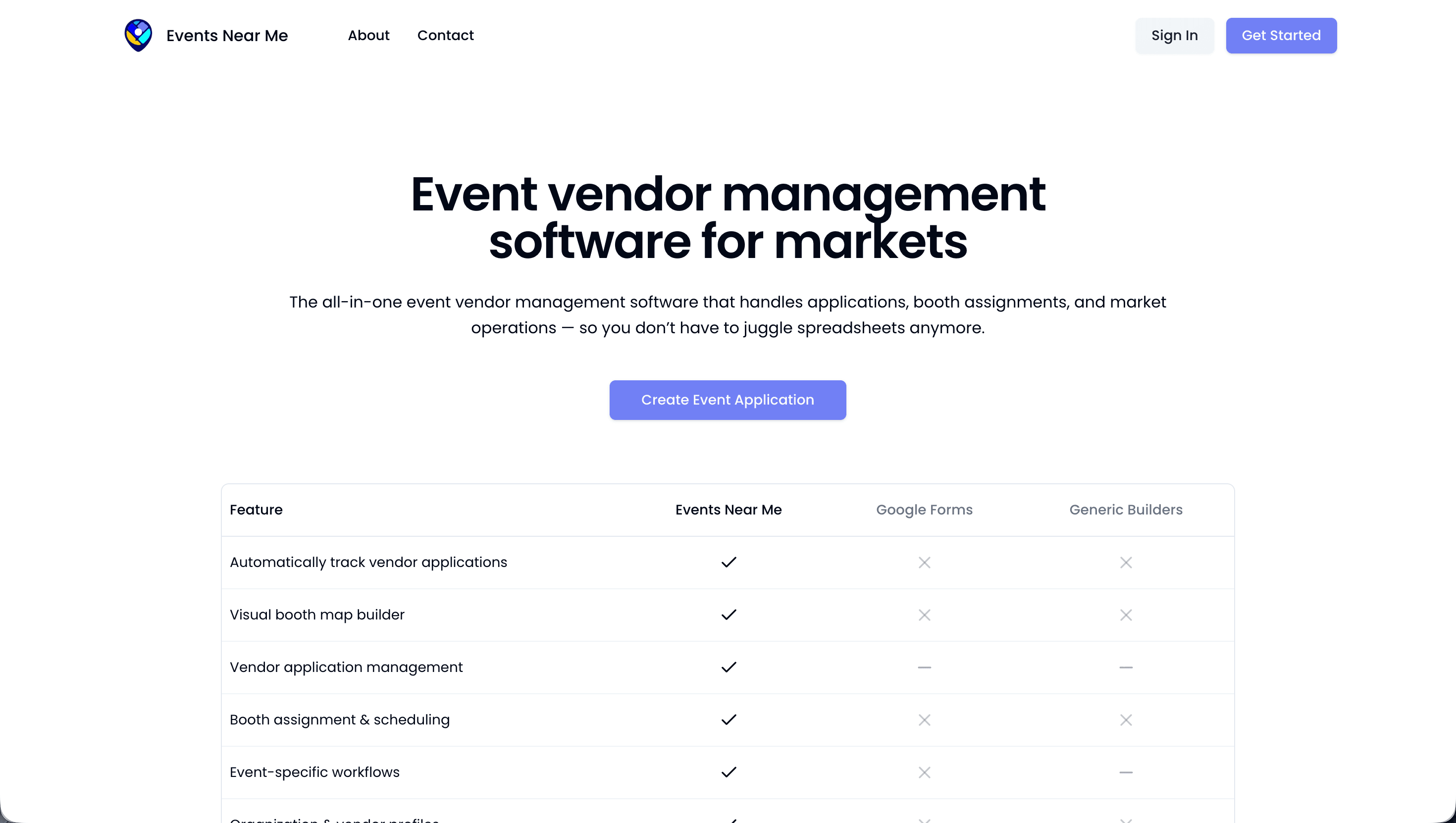
Events Near Me is built specifically for vendor markets. Unlike general form builders, it understands what craft market organizers actually need.
With Events Near Me, you get:
- Custom vendor application forms
- Built-in payment processing for booth fees
- Vendor management dashboard
- Automatic waitlist handling
- Event listing to help vendors find your market
This is the best choice if you want an all-in-one solution designed for market organizers. You won't need to piece together multiple tools.
2. JotForm
JotForm offers hundreds of templates, including some for event vendor registration. It's easy to use with drag-and-drop editing.
Pros:
- Large template library
- Payment integrations with PayPal and Stripe
- Conditional logic for custom questions
Cons:
- Not built for vendor markets specifically
- You'll need separate tools for vendor management
- Free plan has limited submissions
3. Google Forms
Google Forms is free and simple. Many small craft markets start here because there's no learning curve.
Pros:
- Completely free
- Easy to share via link
- Responses go straight to Google Sheets
Cons:
- No payment collection
- Very basic design options
- No built-in approval workflow
- Manual follow-up required for everything
4. Typeform
Typeform creates beautiful, conversational forms that feel modern and engaging. Vendors enjoy filling them out.
Pros:
- Sleek, professional design
- One question at a time format
- Good for longer applications
Cons:
- Expensive for small markets
- Payment features cost extra
- Limited responses on free plan
5. Cognito Forms
Cognito Forms handles complex applications well. It's popular with organizers who need detailed vendor information.
Pros:
- Free plan includes payment collection
- Repeating sections for multiple products
- Calculation fields for variable pricing
Cons:
- Steeper learning curve
- Interface feels dated
- No vendor marketplace features
What to Look for in a Craft Market Form Builder
Not sure which features matter most? Here's what experienced event organizers prioritize.
Payment Integration
Collecting booth fees through your application form saves time. Look for built-in Stripe or PayPal support. Avoid tools that charge high transaction fees on top of the payment processor's cut.
Photo Uploads
Craft markets are visual. You need to see what vendors make before approving them. Make sure your form builder handles image uploads smoothly.
Mobile-Friendly Design
Many vendors fill out applications on their phones. Test any form builder on mobile before committing. Clunky mobile forms lose applicants.
Approval Workflow
The best form builders let you review, approve, or reject applications in one dashboard. Bonus points if you can add notes, sort by category, or move people to a waitlist.
Automatic Emails
You shouldn't have to manually email every vendor. Look for automatic confirmations, approval notices, and reminder emails.
Form Builders vs. Vendor Management Software
Here's something many new organizers miss: form builders only solve part of the problem.
A form builder collects applications. But what happens next? You still need to:
- Track who paid and who didn't
- Assign booth spaces
- Send event details to approved vendors
- Handle cancellations and refunds
- Manage check-in on market day
That's why many craft market organizers choose vendor management software instead of a basic form builder. Tools like Events Near Me handle the entire process from application to event day.
Tips for Creating Better Vendor Application Forms
Whichever tool you choose, these tips help you get better applications.
Keep It Short
Only ask what you truly need. Long forms scare away good vendors. You can always request more details after approval.
Require Product Photos
Make photos mandatory, not optional. Specify that you want clear images of actual products, not logos or lifestyle shots.
Be Clear About Fees
State your booth fees, deposit requirements, and refund policy upfront. Surprises frustrate vendors and create extra work for you.
Set a Deadline
Application deadlines create urgency and help you plan. Share your timeline so vendors know when to expect decisions.
Test Your Form
Fill out your own form before launching. Check how it looks on mobile. Make sure confirmation emails actually send.
FAQ
What is the best free form builder for craft markets?
Google Forms is the best free option, but it lacks payment collection and approval workflows. For free features with payments, try the free tier of Cognito Forms or explore Events Near Me for vendor-specific tools.
Can I collect booth fees through a form builder?
Yes, most form builders integrate with payment processors like Stripe or PayPal. JotForm, Typeform, and Cognito Forms all support payments. Events Near Me has built-in payment processing designed for market fees.
How many questions should a vendor application have?
Aim for 10-15 questions maximum. Include contact info, business details, product descriptions, and photos. Keep optional questions to a minimum.
Do I need a form builder or vendor management software?
If you run more than a few markets per year, vendor management software is worth it. Form builders handle applications, but vendor management tools help with the entire event process.
How do I get more vendors to complete my application?
Keep forms short, mobile-friendly, and clear about expectations. Send reminders to people who started but didn't finish. Share your application where vendors already look for markets, like the Events Near Me marketplace.
Start Collecting Better Vendor Applications
The right form builder transforms how you run your craft market. You'll spend less time chasing paperwork and more time creating an amazing event.
For craft market organizers who want a complete solution, Events Near Me offers everything from vendor applications to event-day management. See how our vendor management features can simplify your next market.
Ready to find vendors for your craft fair? List your market and start connecting with makers today.